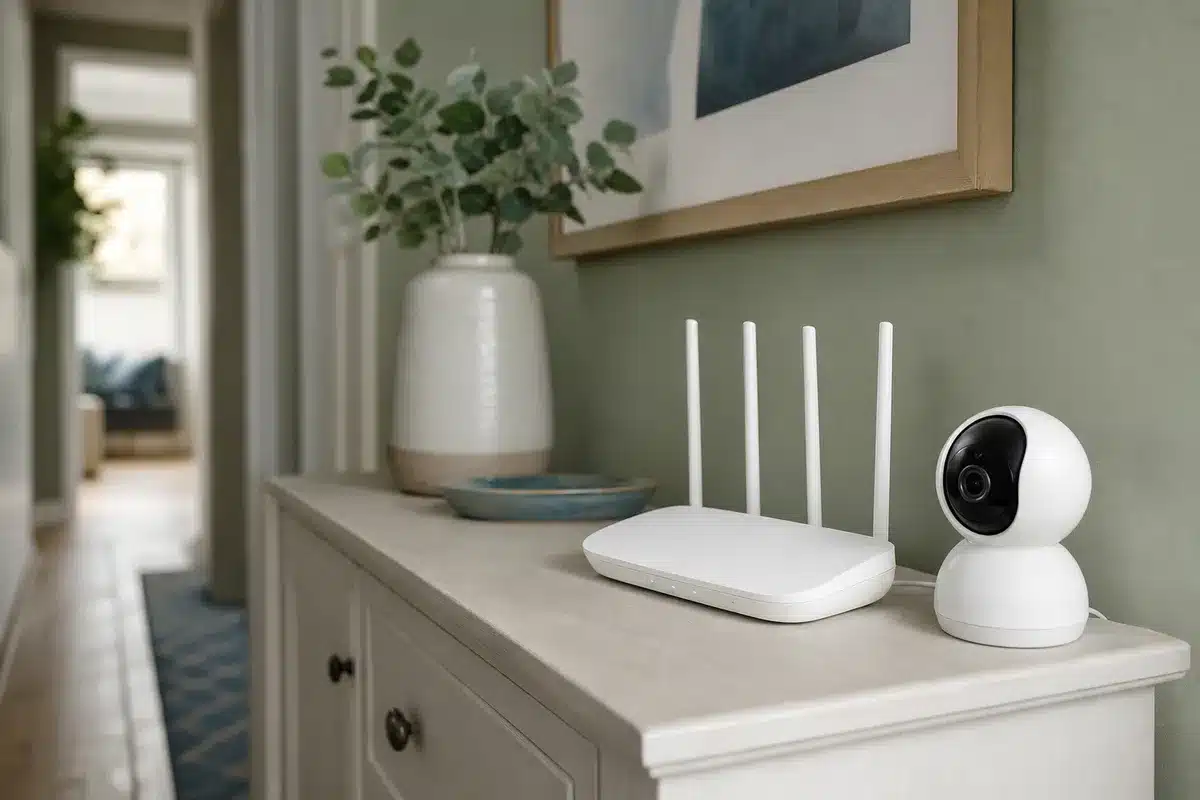
There are few things more frustrating than opening your app to find your camera is unavailable. If your security camera keeps going offline, the cause is usually simple: a weak Wi-Fi signal, a tired battery or a router setting. The good news is that most fixes are free.
Work through these nine calm, simple steps in order. Each one rules out a common cause of a security camera that keeps going offline, starting with the quickest checks.
The short answer
- Weak signal is the usual cause Outdoor cameras often sit at the edge of Wi-Fi range.
- Check power first Low batteries and loose cables cause many dropouts.
- 2.4GHz matters Many cameras only connect to 2.4GHz Wi-Fi.
- Mesh Wi-Fi helps If the signal is weak, a mesh system can fix it for good.
In this guide
1. Check the power
If a battery camera keeps going offline, start with the battery. Cold weather drains batteries faster, and many cameras go offline when the charge gets low. For wired cameras, check the plug, the cable and the socket. A loose USB connection is a surprisingly common culprit.
2. Restart the camera and router
If your security camera keeps going offline, a simple restart clears many temporary glitches. Turn off your router for 30 seconds, turn it back on and wait a few minutes. Then restart the camera, either from the app or by removing the power or battery briefly.
3. Check the Wi-Fi signal where the security camera keeps going offline
Stand where the camera is and check your phone’s Wi-Fi. Many camera apps also show a signal strength reading. If the signal is weak, that’s very likely why your security camera keeps going offline. Brick walls, metal, double glazing and distance all weaken Wi-Fi.

4. Move the router or add a mesh system
If you can, move your router somewhere more central and higher up, away from the TV and microwave. If that’s not possible, a mesh Wi-Fi system places extra units around your home so cameras near the edges get a stronger signal. It’s often the single best fix when a security camera keeps going offline.
5. Make sure the camera can see 2.4GHz
Many cameras only connect to 2.4GHz Wi-Fi, which travels further than 5GHz. Some routers combine both bands under one name, which can confuse cameras. If your camera struggles to stay connected, check your router settings or your camera maker’s advice on 2.4GHz.
6. Update the firmware and app
Manufacturers release updates that improve stability and security. Check the app for camera firmware updates and update the app on your phone too. It’s also a good moment to make sure your router’s firmware is current.
7. Check for router limits and settings
Some routers limit how many devices can connect, or have settings that disconnect idle devices. If you’ve recently added lots of smart devices, your router may be struggling. Giving the camera a reserved IP address in your router settings can also help it reconnect smoothly.
8. Reduce interference
Neighbouring Wi-Fi networks, baby monitors, cordless phones and microwaves can interfere with 2.4GHz Wi-Fi. Changing your router’s Wi-Fi channel can make a real difference, especially in terraced houses and flats.
9. Reset and reconnect
If nothing else works, reset the camera to factory settings and add it to the app again. Check whether your camera keeps its recordings first. If it still keeps going offline after a reset, contact the manufacturer’s support team, as the camera may be faulty.
Quick checklist
-
Power
Battery charged? Cable secure?
-
Restart
Router, then camera.
-
Signal
Strong Wi-Fi where the camera sits?
-
Band
Can the camera see 2.4GHz?
-
Updates
Camera, app and router up to date?
Mesh systems that help
If a weak signal is the problem, these Wi-Fi 6 mesh systems from Amazon.co.uk can bring a strong connection to the edges of your home.

Wi-Fi 6 mesh for the whole home
A three-pack mesh system that spreads Wi-Fi 6 across your home, helping cameras near the edges of your house stay connected. TP-Link says it can cover up to 5,600 sq ft and connect up to 120 devices.
- Strong value for a 3-pack
- Simple app setup
- Helps reach the garden and driveway
- Dual-band, not tri-band
- Units need power sockets

AX3000 Wi-Fi 6 for busy homes
If your home has lots of connected devices, the X55 offers faster AX3000 Wi-Fi 6, AI roaming and support for up to 150 devices across up to 6,500 sq ft, according to TP-Link.
- Faster than the X10
- Handles many devices
- Easy setup
- Costs more
- Overkill for small flats
Preventing future dropouts
Choosing the right camera for your home helps too. Wired cameras with an Ethernet port, like some in our wired vs wireless cameras guide, avoid Wi-Fi problems entirely. Cameras that record locally to a memory card can also keep recording during a short Wi-Fi drop; our guide to security cameras with no subscription explains how. And if you’re shopping for something new, see our best home security cameras UK roundup.
Ofcom’s advice on improving your wifi has more general tips.
Why a security camera keeps going offline in winter
Many people notice their security camera keeps going offline more in the colder months. Low temperatures reduce battery capacity, and longer nights mean infrared night vision runs for more hours. Charging batteries before winter, adding a solar panel or switching to a wired camera in the most important spot can all help.
When to contact support
If your security camera keeps going offline after you’ve tried every step, it may be time to contact the manufacturer. Note the camera model, firmware version and when the drops happen. Support teams can check logs and, if the camera is faulty and still under warranty, arrange a replacement.
Security camera keeps going offline: FAQs
Why does my security camera keep going offline at night?
Cold temperatures drain batteries, and infrared night vision uses more power. Some routers also run scheduled restarts overnight.
Will a Wi-Fi extender stop my camera going offline?
It can help, but a mesh system usually gives a more stable connection than a basic extender.
Does my camera record when it's offline?
Cameras with a memory card may keep recording locally. Cloud-only cameras usually can’t save footage while offline.
Why does my doorbell keep going offline?
Front doors are often far from the router and surrounded by brick and metal. Check signal strength and battery level first.
The bottom line
- Check power and restart first
- Test Wi-Fi strength at the camera
- Consider mesh Wi-Fi for weak spots
If your security camera keeps going offline, start with power, restarts and signal strength. Most dropouts come down to weak Wi-Fi, and a better router position or mesh system usually fixes it for good.
General information only. Features, prices and availability change, so always check the product listing and your manufacturer’s instructions. If a job involves your car’s electrics or mains wiring and you’re not confident, please ask a qualified installer.